Apple: iPhone and iPod touch Software 1.1.2 is Available Through iTunes

Apple has officially released iPhone and iPod touch Software 1.1.2 through iTunes.

Previously, the Software Update was only available on Apple Download server, during iPhone launch in the UK and Germany.

How to add your own custom made ringtones to the iPhone:

  • You need iTunes 7.5 and iPhone Software 1.1.2
  • Encode the file into 128kbps AAC, smaller file size is preferred. I use GarageBand to edit and convert the audio file.
  • Rename the file extension from “.m4a” to “.m4r”; for Mac OS X “Get Info” the file, then change the extension name there.
  • Add the now “.m4r” file into iTunes, preferably have iTunes to copy the files into the library.
  • Connect your iPhone, go to the “Ringtones” tab, and check the ringtones you want to send to the iPhone.

more on this.

South Park: Season 11 Episode 14 – “The List”

South Park: Season 11 Episode 14 – “The List”
Original Air Date: 2007-11-14

Note:

  • All Season 11 episodes will be available uncensored @ iTunes Store and Amazon Unbox.
  • This should be the last episode of Season 11

Preview “The List” here.

From South Park Studios: (announced on November 11th, 2007)

The girls in the fourth grade class have made a secret list that rates every boy’s looks from cutest to ugliest. When the boys steal the list, they are completely unprepared to deal with the results.

Season 11 Episode 14 -

Season 11 Episode 14 - Season 11 Episode 14 -

From today’s Comedy Central Press Release:
THINGS TURN UGLY IN THE FOURTH GRADE
WHEN AN ALL-NEW “SOUTH PARK” AIRS
WEDNESDAY, NOVEMBER 14 AT 10:00 P.M. ON COMEDY CENTRAL

The girls in the fourth grade class have made a secret list that rates every boy’s looks from cutest to ugliest in an all-new episode of “South Park” titled, “The List,” premiering on Wednesday, November 14 at 10:00 p.m. on COMEDY CENTRAL.

When the boys steal the list that rates cutest to ugliest from the girls, they aren’t really prepared to deal with the results. The boys are about to discover how manipulative and psychotic little girls can be.

Airing Schedule on Comedy Central:

  • Wednesday, NOV 14 2007 – 10:00 PM
  • Thursday, NOV 15 2007 – 12:00 AM
  • Thursday, NOV 15 2007 – 10:00 PM
  • Friday, NOV 16 2007 – 12:00 AM
  • Saturday, NOV 16 2007 – 12:30 AM
  • Sunday, NOV 17 2007 – 10:00 PM
  • Sunday, NOV 18 2007 – 11:30 PM
  • Monday, NOV 19 2007 – 03:00 AM

South Park Season 11 Episode 14 on:

  • iTunes Store – UNCENSORED (available on Saturday – November 17th, 2007)
  • Amazon Unbox (available on Saturday – November 17th, 2007)

South Park Studios and Comedy Central would like to remind you if you are looking for South Park episode, you can get it at iTunes Store or Amazon Unbox instead of downloading the AVI or RM files off torrents from site likes mrtwig.net. Another reminder from the Good Ol’ Comedy Central that asks everyone to stay away from southparkfiles.com, because southparkfiles.com has every single South Park episode made available in one form or another.
Remember downloading TV episodes off torrents is generally frowned upon by the TV networks. It’d be very very very wrong to download South Park episodes off torrent sites such as mrtwig.net where you can find high quality South Park episodes in AVI and RM. Please forget that you can find high quality South Park episode links at mrtwig.net because Comedy Central would like you to purchase them.

South Park – The Complete Tenth Season

South Park Season 10 DVD

The tenth season of South Park includes the instant classic and Emmy Winning “Make Love, Not Warcraft” – one of the most ridiculous South Park episodes ever.


Mac OS X Leopard: Adding Printer

An Apple A Day Gallery – 2007.11.10
Mac OS X Leopard: Adding Printer
System Preferences icon

Printer Setup Utility is no longer included in Leopard. Adding printer can be done in the Print Dialogue box or through System Preferences.

System Preferences - adding printer System Preferences - Print & Fax

Add Printer dialogue box

Printer Browser

Mac OS X Leopard: Apple Remote Pairing

An Apple A Day Gallery – 2007.11.10
Mac OS X Leopard: Apple Remote Pairing

Apple Remote Pairing custom icon
Apple Remote comes with every Intel-based iMacs, MacBook, MacBook Pro, and Mac mini. To prevent other Apple Remotes controlling the your Mac, you can:

  • Disable remote control infrared receiver. Open System Preferences > Security. Check the “Disable remote control infrared receiver. OR,
  • Pair an Apple Remote to the computer.

To pair an Apple Remote with your Mac:

  • Press and hold the “Menu” and “Next” buttons for a few seconds until the Apple Remote icon flashes on the screen.
  • After doing so, the your Mac can only be controlled using the paired Apple Remote.

To unpair the Apple Remote:

  • Open System Preferences > Security.
  • Click on the “Unpair” button.

System Preferences Security Apple Remote Pairing

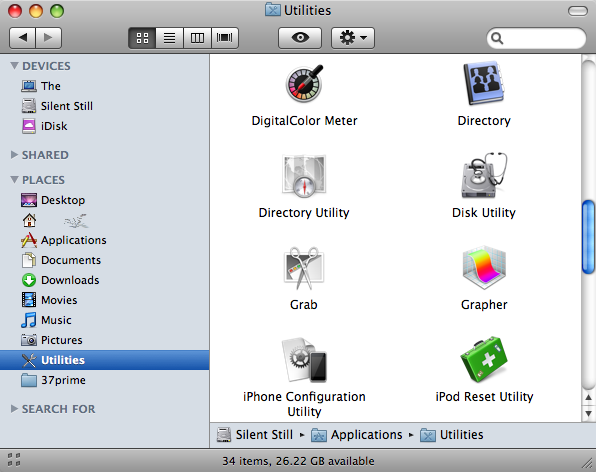
Mac OS X Leopard: Finder Path Bar

An Apple A Day Gallery – 2007.11.09
Mac OS X Leopard: Finder Path Bar

From Apple:

Path Bar
See the path of a file when you view it in the Finder. Just choose Show Path Bar from the View menu and the path is visible at the bottom of the Finder window. You can also drag files to any location in the Path Bar

One feature that has been missing in Mac OS X. In Mac OS X Tiger (10.4.x) an incarnation of the Path Bar can be found in Spotlight enabled search.

Finder - Show Path Bar

iPhone Software 1.1.2

iPhone Software 1.1.2
UPDATE (2007.11.12): It is now available through iTunes. Connect your iPhone, launch iTunes, and “Check for Update”.

There is no radically new features added in iPhone Software 1.1.2 which is now made available on Apple’s software download server.

iPhone Software 1.1.2 (160.1MB) | iPod touch Software 1.1.2 (157.9MB)

Custom ringtones are separated from standard ones.
PLUS: You can use the .m4r method to add your own custom ringtones to the iPhone.

How to add your own custom made ringtones to the iPhone:

  • You need iTunes 7.5 and iPhone Software 1.1.2
  • Encode the file into 128kbps AAC, smaller file size is preferred. I use GarageBand to edit and convert the audio file.
  • Rename the file extension from “.m4a” to “.m4r”; for Mac OS X “Get Info” the file, then change the extension name there.
  • Add the now “.m4r” file into iTunes, preferably have iTunes to copy the files into the library.
  • Connect your iPhone, go to the “Ringtones” tab, and check the ringtones you want to send to the iPhone.

There is now iPhone battery indicator on iTunes (tested using iTunes 7.5).

iPhone Software 1.1.2 - Power icon in iTunes 7.5

Right after iPhone Software Update or Software restore, the iPhone is flashing “Slide to Unlock” in different languages (French and German).

more to come….

AppleInsider: iPhone Software 1.1.2 is Available but Not Yet on iTunes

AppleInsider reports that iPhone Software 1.1.2 has been posted on Apple’s download server. It weighs in at 160MB.

I am restoring my iPhone software to version 1.1.2 as I type this.

For those who jailbreak or unlock their iPhones are recommended to wait until more info surfaces regarding this update. Apple is expected to patch numbers of security holes found in iPhone Software 1.1.1, which one of the exploits is used to jailbreak the iPhone.

More to come.

iPhone Software 1.1.2