So, you thought you have secured your AirDrop settings?
You thought that you allowed “No One” to discover you?
Think again!
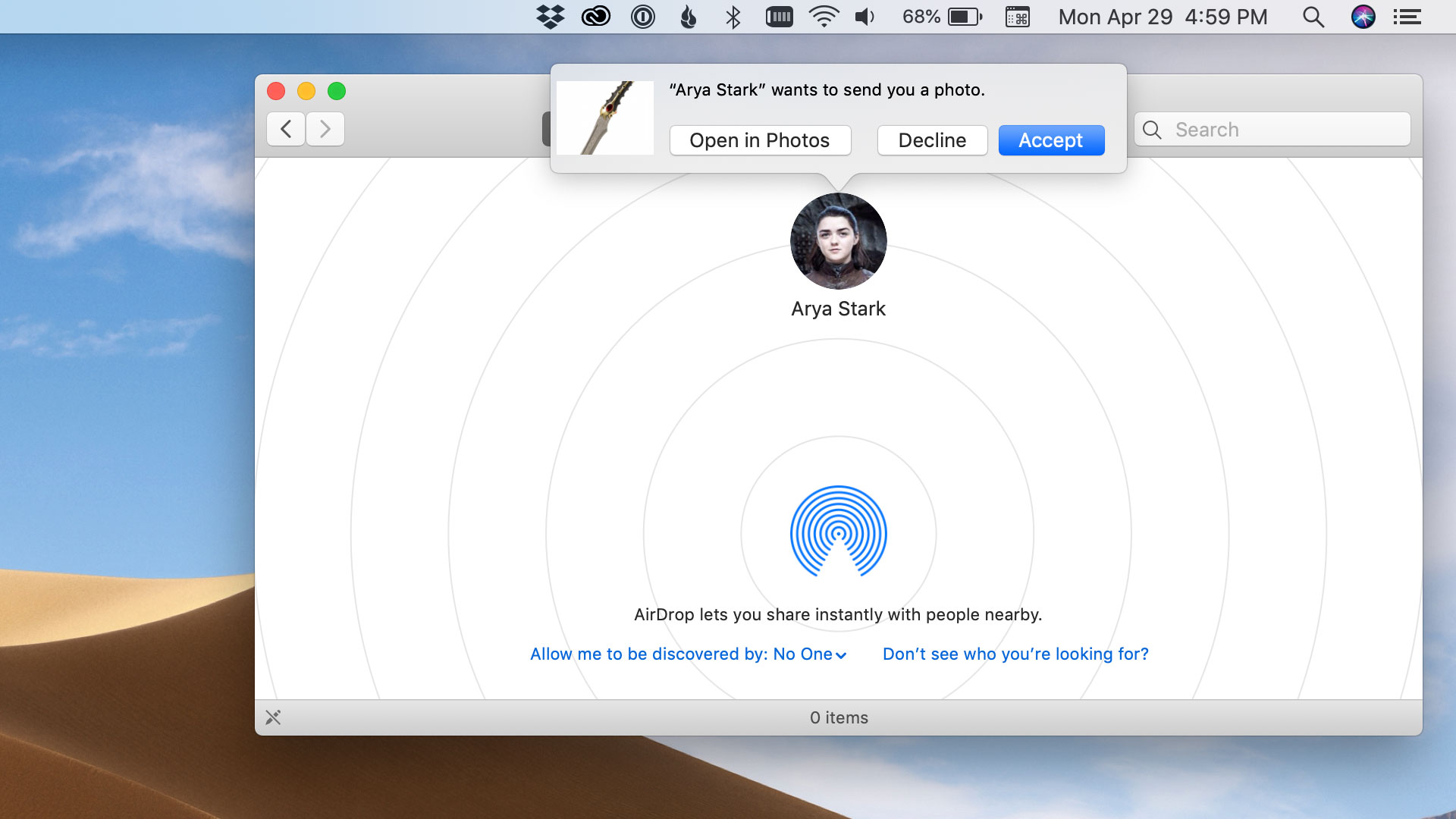
p.s. This one has been idling in my repository since Game of Thrones Season 6.

Celebrating 20 years of Nonsense, Powered by Cats' Natural Intelligence.
So, you thought you have secured your AirDrop settings?
You thought that you allowed “No One” to discover you?
Think again!
p.s. This one has been idling in my repository since Game of Thrones Season 6.
UPDATED:
Add the accidentally deleted “Two-Factor Authentication” bit.
With the release of macOS Mojave 10.14.4, another bug that was originally introduced in 10.14.4 beta. This bug also presents in macOS 10.4.5 beta, iOS 12.2 and iOS 12.3 beta.
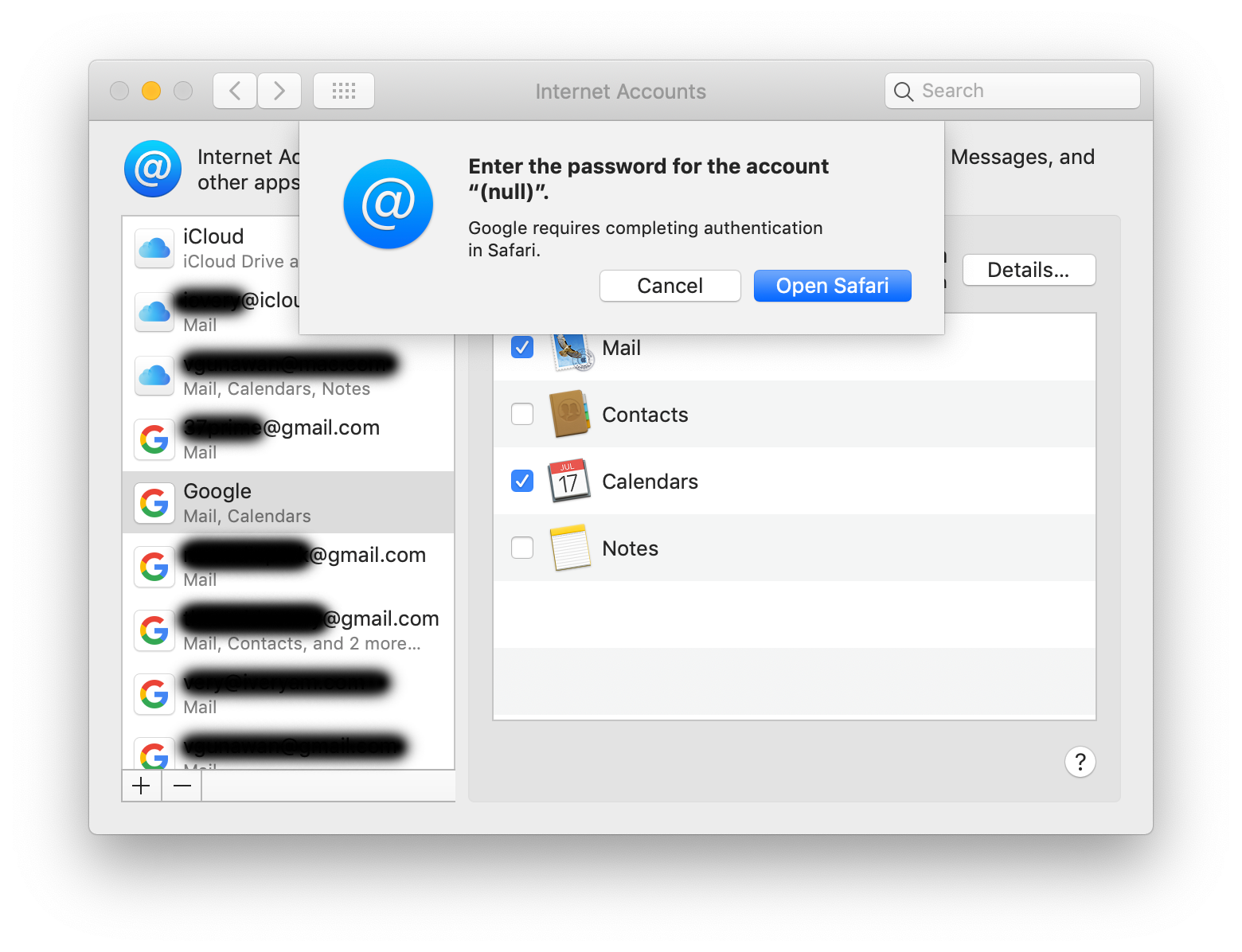
Google-hosted G Suite account with Two-Factor Authentication enabled will not be able to log in properly.
When adding a G Suite account you will get a message:
Enter the password for the account “(null)”.
Google requires completing authentication in Safari.
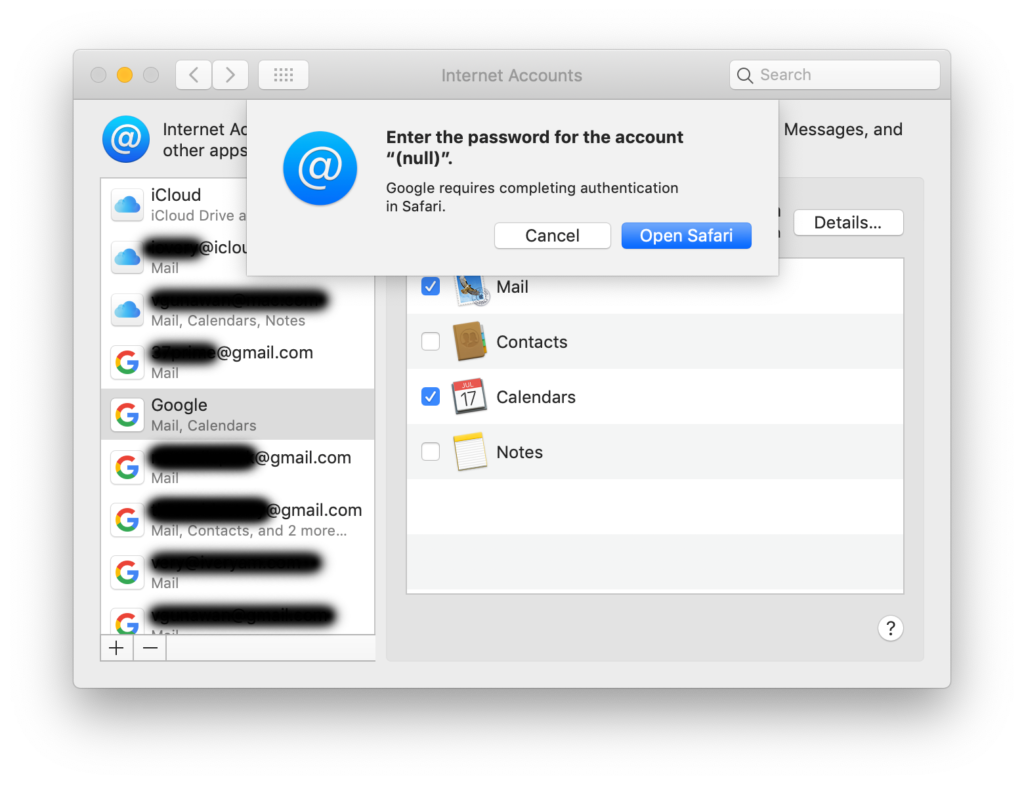
In macOS 10.14.4, to authenticate Google Accounts, Safari opens in Private Browsing Mode.

This bug had been reported multiple times by Apple Developers and Beta testers since the release of macOS 10.14.4 beta 1.

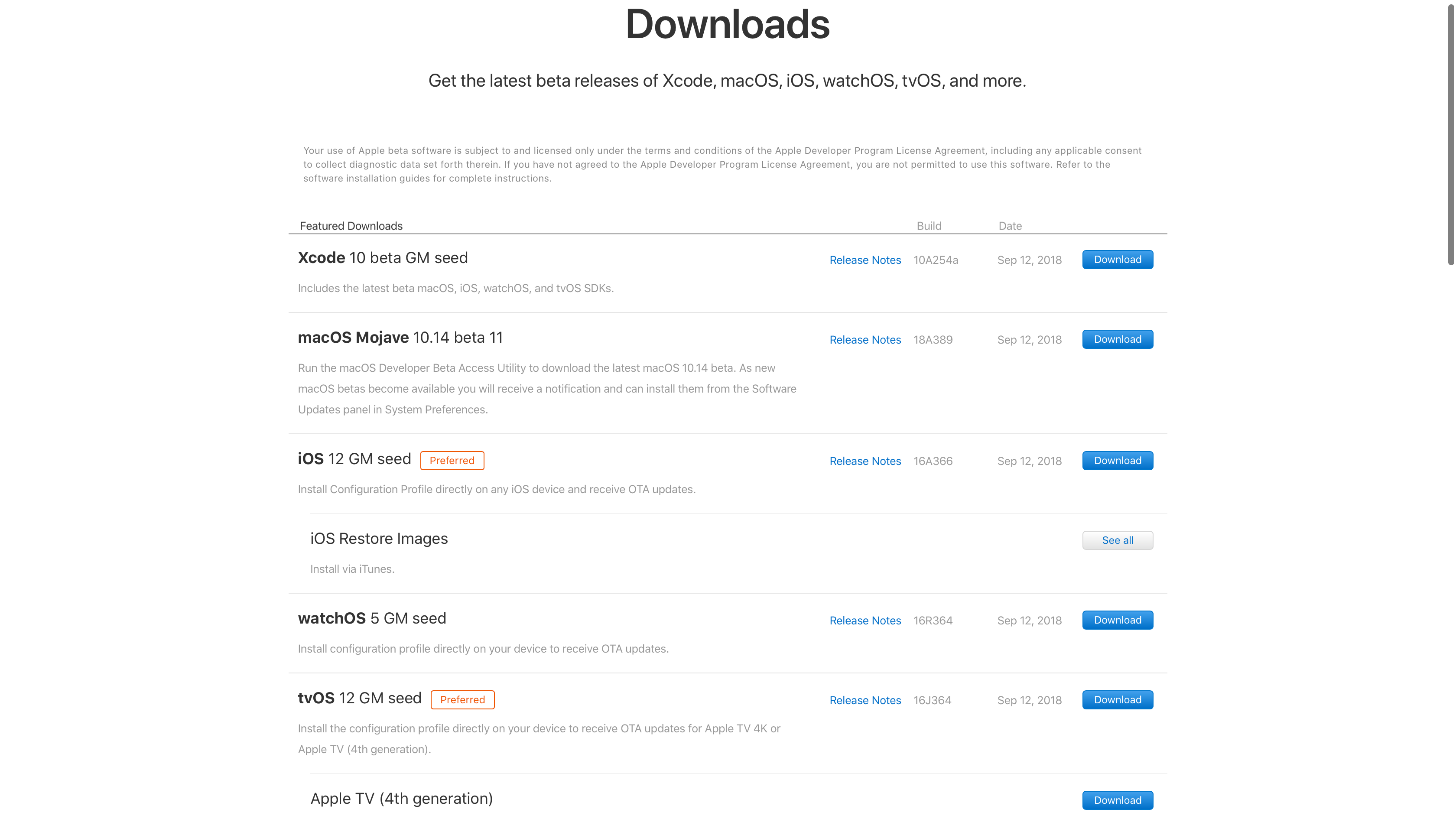
Following the conclusion of “Gather round” Special Event, Apple posts GM seeds of iOS 12, watchOS 5 and tvOS 12 along with macOS Mojave 11.4 beta 11.
One interesting note on macOS Mojave 11.4 beta 11 build 18A389, that it is believed to be the Release Candidate or even a GM seed.

Apple will be issuing Software Update to disable “root” user which is inadvertently enabled by default with blank password in macOS High Sierra.
To disable “root” user, follow the instruction from Apple or the instruction below:
Disable the root user
Choose Apple menu () > System Preferences, then click Users & Groups (or Accounts).Click the Lock, then enter an administrator name and password.
Click Login Options.
Click Join (or Edit).
Click Open Directory Utility.
Click the Lock in the Directory Utility window, then enter an administrator name and password.
From the menu bar in Directory Utility: Choose Edit > Disable Root
In previous incarnations of macOS/OS X/Mac OS X, “root” user is disabled by default.
Note:
Anyone with physical access to your Mac potentially can reset your password.

As reported by Juli Clover for MacRumors and numerous other sites:
The bug, discovered by developer Lemi Ergin, lets anyone log into an admin account using the username “root” with no password. This works when attempting to access an administrator’s account on an unlocked Mac, and it also provides access at the login screen of a locked Mac.
We verified that on macOS High Sierra 10.13.1, “root” user is enabled by default with blank password. For comparison, OS X El Capitan has “root” user disabled by default.
UPDATE:
We verified that previous versions of macOS/OS X/Mac OS X have “root” user disabled by default.
This is similar to the enabled-by-default-with-blank-password “administrator” accounts in Windows XP.
By having “root” user disabled by default, potentially a remote attacker can compromise Macs running macOS High Sierra.
Having said all that, anyone with physical access and the right knowledge can reset local user password.
A few days ahead the official iPhone X launch date, Apple releases iOS 11.1, watchOS 4.1, tvOS 11.1 and macOS High Sierra 10.13.1.
These updates includes fix for Key Reinstallation Attacks – KRACK vulnerability.
As we have reported on October 23, 2017 iOS 11.1 build 15B93 was indeed the Golden Master. In addition to that, iOS 11.1 for iPhone X carries a different build number.