Reporting malicious links to bitly

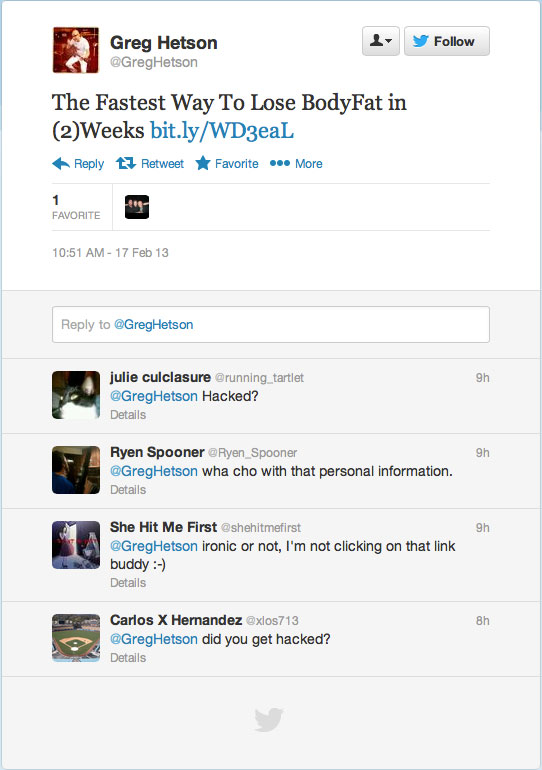
Recent round of spams propagated using hacked Twitter accounts and bitly URL shortener became the topic of discussion. Just a few days ago Twitter account of Greg Hetson (Bad Religion, Circle Jerks) was hacked and a link using bitly URL shortener to a spam site was posted.

If you encountered any malicious or spam using bit.ly, please report it to bitly immediately.

You can report spam links to support@bitly.com to be blocked. Include the word ‘spam’ in the message and include the link and information about how you received it.

From time to time you’d see that bitly would warn visitors off the malicious URL they about to visit.

bitly-warning

Greg Hetson’s Twitter account got hacked

UPDATE:
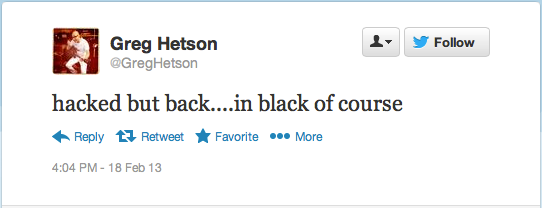
Greg Hetson confirmed that his Twitter account was hacked. Yet he did not even bother to delete the spam tweet. Probably Hetson doesn’t know how to delete a tweet.

Greg-Hetson-Twitter-was-indeed-hacked

It seems that Greg Hetson’s Twitter account got hacked on Sunday morning February 17, 2013. It is yet known how Hetson’s Twitter account got hacked. Hetson often posts tweets using his HTC Android phone.

For those who know who Greg Hetson is, he never needed to lose any body fat; in fact he needed to gain some.
For those who don’t know who Greg Hetson is, go look up Bad Religion and Circle Jerks.

Speaking of Bad Religion, go get their latest release: True North

Greg-Hetson-Twitter-Hacked

Tips: Subscribing to eBay Search RSS

ebay-rss

I was doing some research on eBay and noticed that I could no longer find the subscribe to RSS option. Before reinventing the wheel again, I managed to find the answer on eBay Answer Center.

From eshons2525:

create your search, and then copy the URL of the search results page into your browser address bar and add “&_rss=1” at the end (no quotes)

That was easy enough. Thanks.

Well, if eBay removed the RSS altogether from the site the trick would no longer work.

Personal Note: iPhone 4S screen replacement

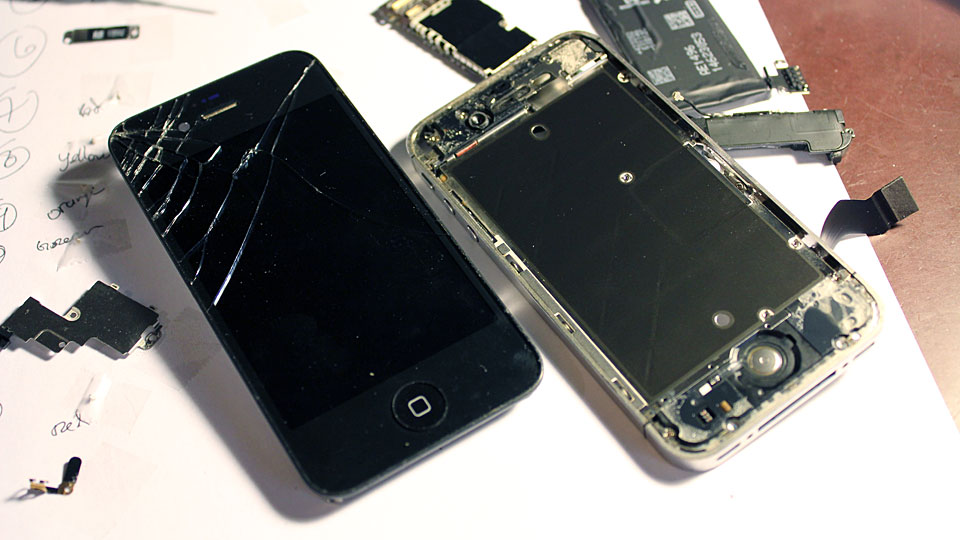
I spent a good 2 hours on Wednesday evening replacing a cracked iPhone 4S screen. I actually labeled every little thing that I took off the iPhone 4S and took pictures of each major steps. I won’t bother posting any of the instructions since apparently someone else such as iFixit has done so.

iPhone-4S-broken-screen

iPhone-4S-screen-replaced

Those bubbles on the replacement screen is courtesy of the shipping cover of the screen.