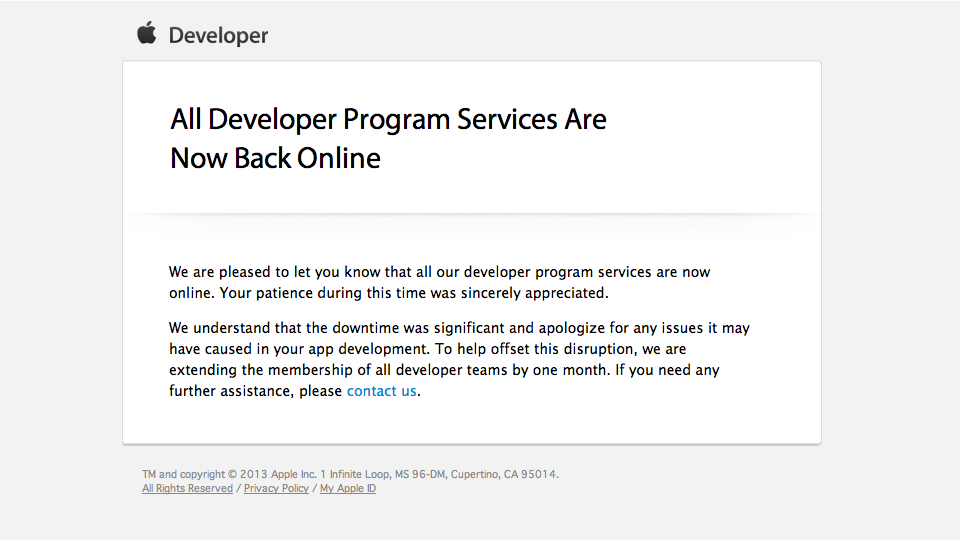
Apple has sent email out to developers informing that All Apple Developer Center is Back Online. In addition to that Apple has extended all paid developer membership by 30 days.


Celebrating 20 years of Nonsense, Powered by Natural Intelligence.
Apple has sent email out to developers informing that All Apple Developer Center is Back Online. In addition to that Apple has extended all paid developer membership by 30 days.
Apple is expected to release iOS 7 sometimes in Fall 2013. So far, five beta builds of iOS 7 have been seeded to developers. A lot of progress have been made since the first iOS 7 beta was released. The first iOS 7 beta had a lot of known issues. Apple has been fixing the issues with consequent beta builds. With iOS 7 beta 5, there are still some relatively major issues and the are expected to be fixed I’m the upcoming betas.
Developers are expected to work on their existing Apps to ensure compatibilities with iOS 7. Since iOS 7 is still in beta, developers cannot submit Apps created using iOS 7 SDK beta at this time. Thus existing Apps are likely to be incompatible with iOS 7 beta.
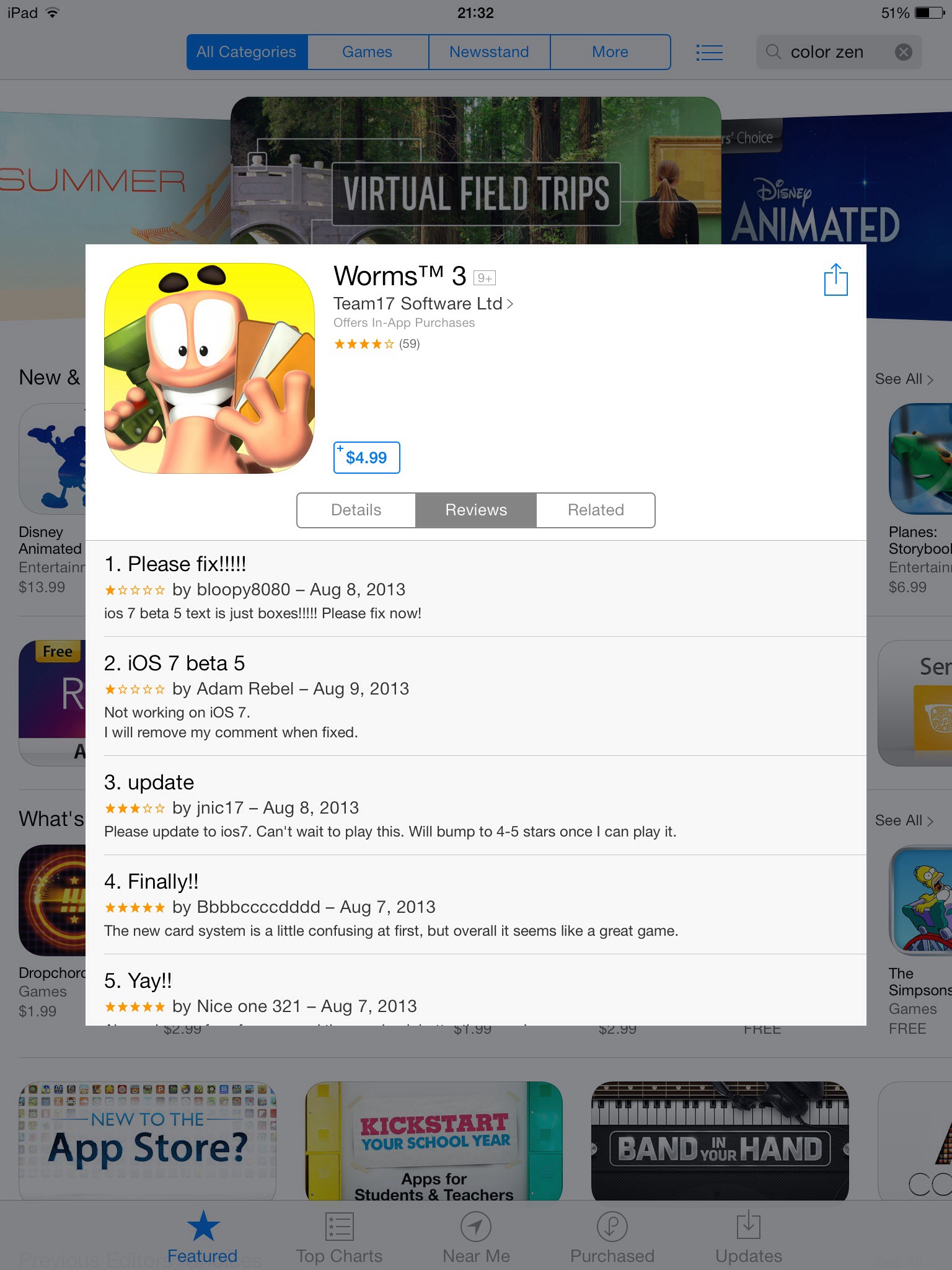
There are a lot of people who should not install iOS 7 beta on their devices in the first place. That’s because they installed iOS 7 beta for all the wrong reasons. They left reviews for Apps at the App Store complaining that the Apps do not work with iOS 7 beta. It is obvious that these people are not developers and do not have common sense at all.
Apple should crack down on this type of review on the App Store and delete them. Furthermore, Apple should temporarily ban their account from posting any reviews until iOS 7 is released publicly.
This was related to the project we’re working on last month.
Elliott Kember wrote the headline: “Chrome’s insane password security strategy”
Kember points out the way Google Chrome manages saved passwords.
There’s no master password, no security, not even a prompt that “these passwords are visible”. Visit chrome://settings/passwords in Chrome if you don’t believe me.
Yes indeed. Unlike Mozilla Firefox, Google Chrome does not offer users to set Master Password. Apple added Passwords Manager in Safari 6; the passwords are actually stored in users’ Keychain.
Justin Schuh, who works on Google Chrome Security according to his Hacker News profile, says that it was a design decision to not include Master Password in Google Chrome.
For most users, there’s a certain level of inconvenience they are willing to tolerate when dealing with security. Unsurprisingly a lot of users are still using obvious passwords or none at all for their computer login. That’s because they prioritize convenience over security.
Security and convenience have an inverse relationship. It would look something like this:
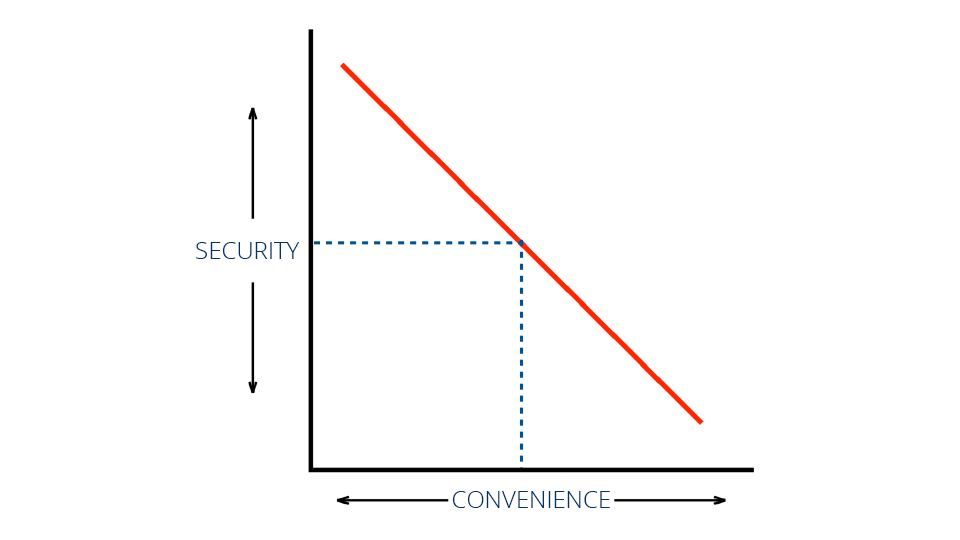
that is true if it is a linear relationship. In reality it looks more something like the following:
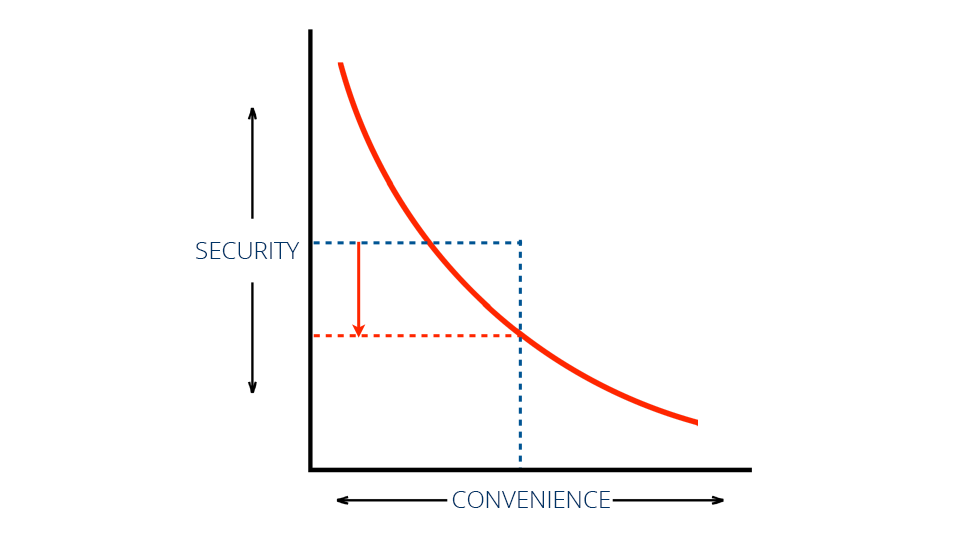
It is more like a curve line. More convenience means less security.
The concern about the way Google Chrome manages passwords is valid. At the same time there is a bigger issue with security. Having a Master Password option would be useless if it is the same obvious password people are using for their computer login. Most users using Mozilla Firefox never set the Master Password at all.
Users need to understand why they need to secure their computers. Ultimately the users are the one to set the security level based on their convenience level.
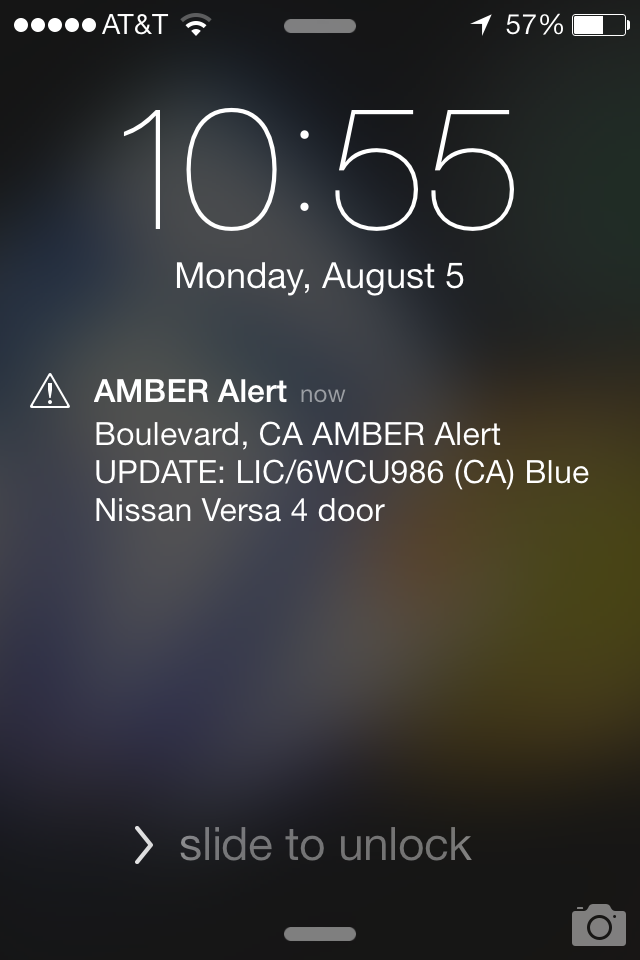
This would be the first time I received Amber Alert on my Nexus 4 and iPhone. Users can turn this kind of alert on their phones.
AMBER Alert
Boulevard, CA AMBER Alert UPDATE:
LIC/6WCU986 (CA) Blue Nissan Versa 4 door
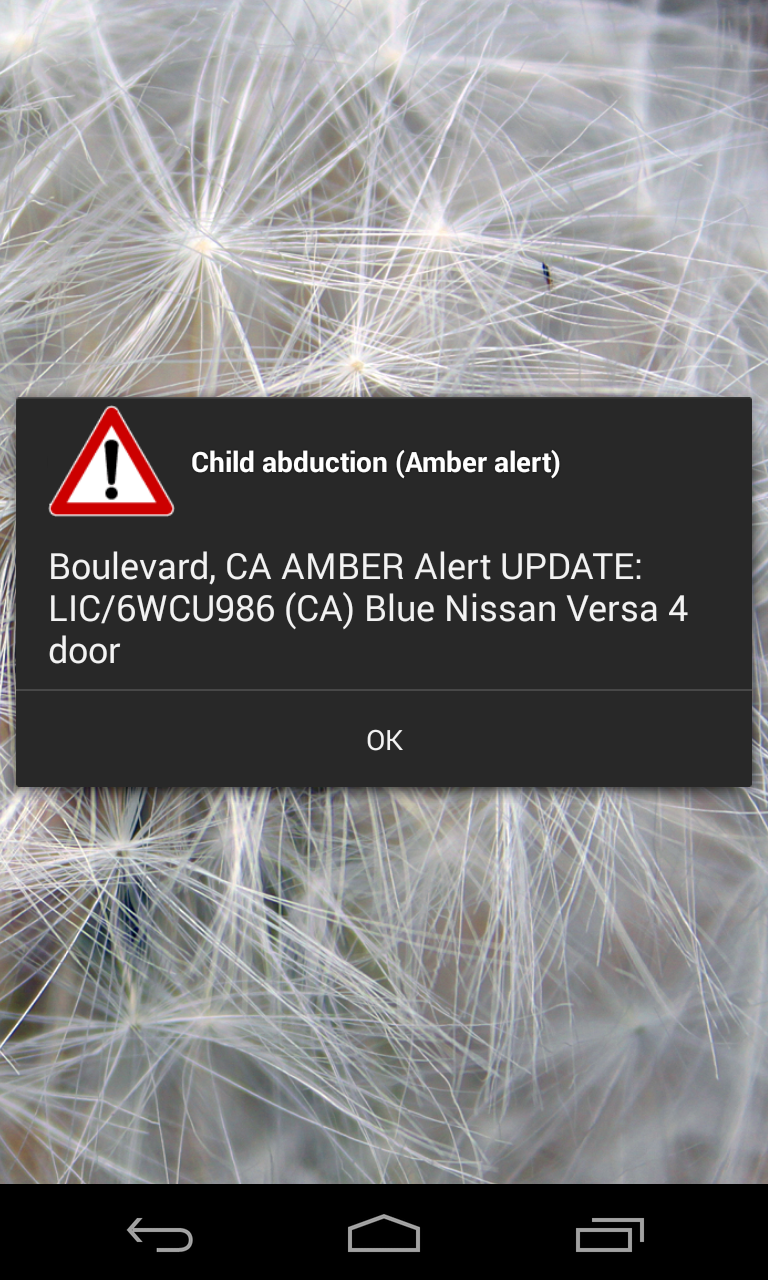
Child abduction (AMBER Alert)
Boulevard, CA AMBER Alert UPDATE:
LIC/6WCU986 (CA) Blue Nissan Versa 4 door
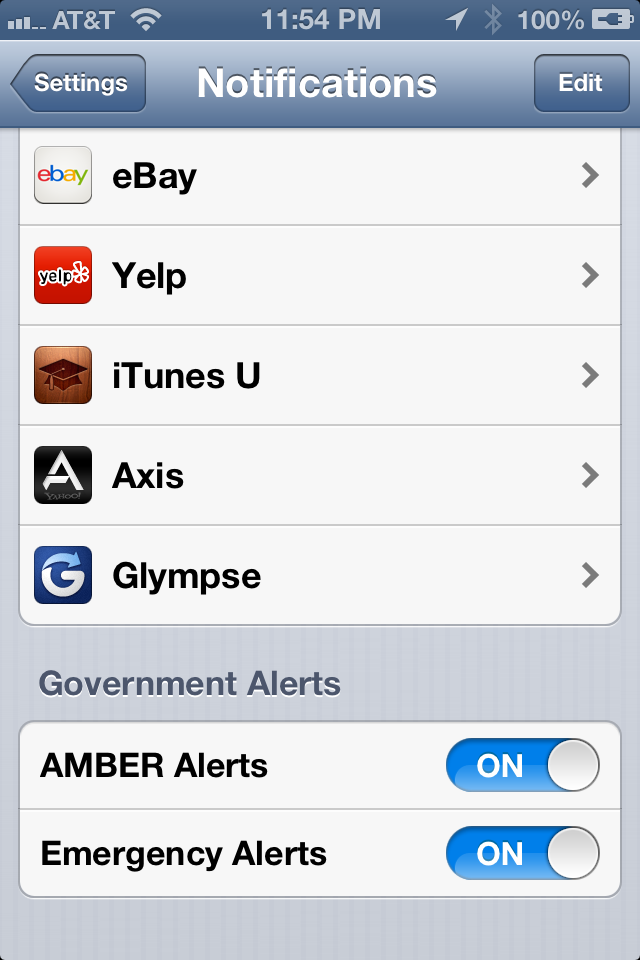
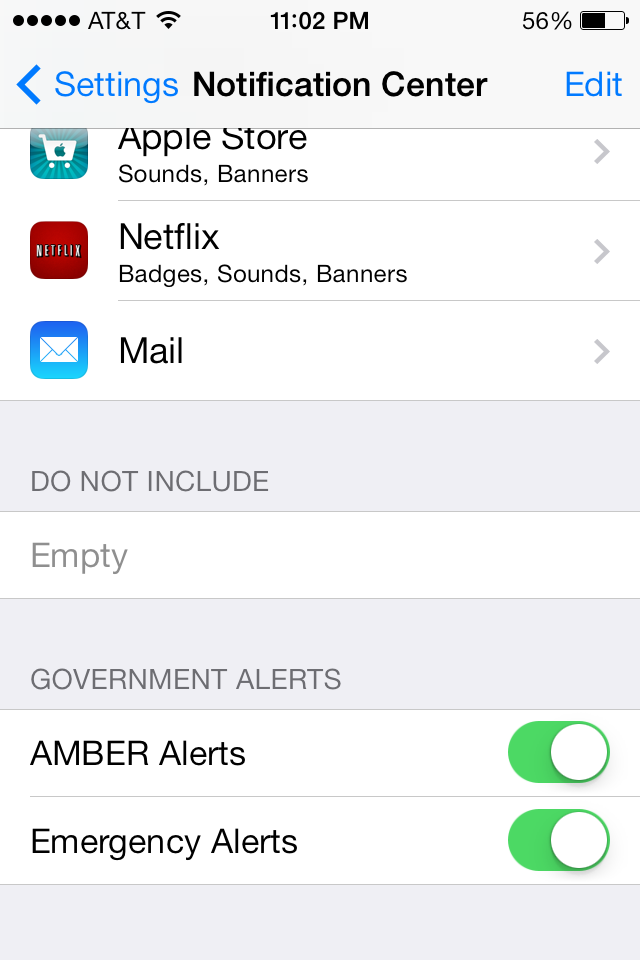
Ambert Alert setting in iOS 6 and iOS 7 can be found in Settings > Notification Center
At the bottom there are “GOVERNMENT ALERT” settings.
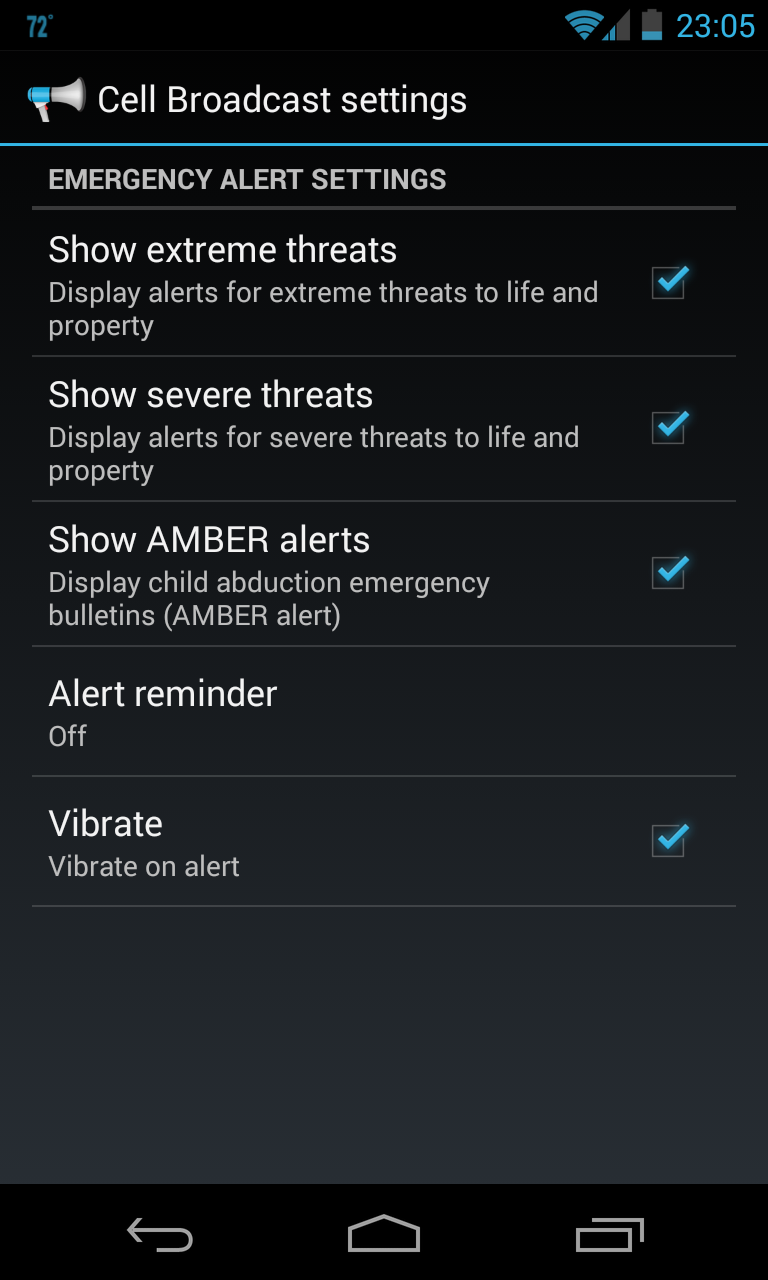
Amber Alert settings in Android (4.3) can be found in Settings > Wireless & networks > More… > Cell broadcasts
Episode number Twenty-One of Angry Birds Toons titled “Hypno Pigs” is now playing at Angry Birds App nearest you.

Stay Tooned for next week episode.