“Find My Friends” app is now available for download at iTunes Store.
REQUIREMENTS:
Requires iOS 5 and an iCloud account. You can create a free iCloud account on your iPhone, iPad, or iPod touch.


Celebrating 20 years of Nonsense, Powered by Natural Intelligence.
“Find My Friends” app is now available for download at iTunes Store.
REQUIREMENTS:
Requires iOS 5 and an iCloud account. You can create a free iCloud account on your iPhone, iPad, or iPod touch.
iOS 5 is now available for download.
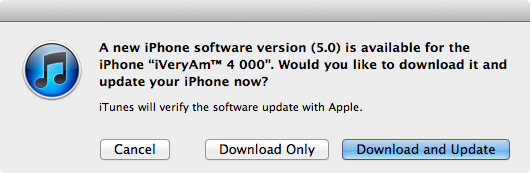
You should make some preparations before updating to iOS 5 such as installing iTunes 10.5 and backing up your devices.
iOS 5 Software Update
This update contains over 200 new features, including the following:
• Notifications
◦ Swipe from the top of any screen to view notifications in one place with Notification Center
◦ New notifications appear briefly at the top of the screen
◦ View notifications from lock screen
◦ Slide the notification app icon to the right on the lock screen to go directly to the app
• iMessage
◦ Send and receive unlimited text, photo, and video messages with other iOS 5 users
◦ Track messages with delivery and read receipts
◦ Group messaging and secure encryption
◦ Works over cellular network and Wi-Fi*
• Newsstand
◦ Automatically organizes magazine and newspaper subscriptions on Home Screen
◦ Displays the cover of the latest issue
◦ Background downloads of new issues
• Reminders for managing to do lists
◦ Syncs with iCloud, iCal and Outlook
◦ Location-based reminders when you leave or arrive at a location for iPhone 4S and iPhone 4
• Built-in support for Twitter
◦ Sign-in once in Settings and tweet directly from Camera, Photos, Maps, Safari and YouTube
◦ Add location to any tweet
◦ View twitter profile pictures and usernames in Contacts
• Camera improvements for devices with cameras
◦ Double click the home button when device is asleep to bring up a camera shortcut on iPhone 4S, iPhone 4, iPhone 3GS and iPod touch (4th generation)
◦ Volume Up button to take a picture
◦ Optional grid lines to line up shots
◦ Pinch to zoom in the preview screen
◦ Swipe to camera roll from preview screen
◦ Tap and hold to lock focus and exposure, iPad 2 and iPod touch (4th generation) only support exposure lock
• Photo improvements for devices with cameras
◦ Crop and rotate
◦ Red eye removal
◦ One tap enhance
◦ Organize photos into albums
• Mail improvements
◦ Format text using bold, italic, or underlined fonts
◦ Indentation control
◦ Drag to rearrange names in address fields
◦ Flag messages
◦ Mass mark messages as flagged, read or unread
◦ Customize mail alert sounds
◦ S/MIME
• Calendar improvements
◦ Year view on iPad and new Week view for iPhone and iPod touch
◦ Tap to create an event
◦ View and add event attachments
• Game Center improvements
◦ Use personal photos for your Game Center account
◦ Compare your overall achievement scores with your friends
◦ Find new Game Center friends with friend recommendations and friends of friends
◦ Discover new games with custom game recommendations
• AirPlay Mirroring for iPad 2 and iPhone 4S
• Multitasking Gestures for iPad
◦ Use four or five fingers to pinch to the Home Screen
◦ Swipe up to reveal the multitasking bar
◦ Swipe left or right to switch between apps
• On-device setup, activation and configuration with Setup Assistant
• Software updates available over the air without tethering
• iCloud support
◦ iTunes in the Cloud
◦ Photo Stream
◦ Documents in the Cloud
◦ Apps and Books automatic download and purchase history
◦ Backup
◦ Contacts, Calendar, and Mail
◦ Find My iPhone
• Redesigned Music app for iPad
• Hourly weather forecast
• Real-time stock quotes
• Wireless sync to iTunes
• Keyboard improvements
◦ Split keyboard for iPad
◦ Improved autocorrection accuracy
◦ Improved Chinese and Japanese input
◦ New Emoji keyboard
◦ Personal dictionary for autocorrection
◦ Optionally create keyboard short cuts for frequently used words
• Accessibility improvements
◦ Option to light LED flash on incoming calls and alerts for iPhone 4S and iPhone 4
◦ Custom vibration patterns for incoming calls on iPhone
◦ New interface for using iOS with mobility-impairment input devices
◦ Option to speak a selection of text
◦ Custom element labeling for VoiceOver
• Exchange ActiveSync improvements
◦ Wirelessly sync tasks
◦ Mark messages as flagged, read or unread
◦ Improved offline support
◦ Save a new contact from a GAL service
• More than 1,500 new developer APIs
• Bug fixesProducts compatible with this software update:
• iPhone 4S
• iPhone 4
• iPhone 3GS
• iPad 2
• iPad
• iPod touch (4th generation)
• iPod touch (3rd generation)* Normal carrier data rates may apply. Messages will be sent as SMS when iMessage is unavailable, carrier messaging fees apply.
For information on the security content of this update, please visit this website:
http://support.apple.com/kb/HT1222
——-
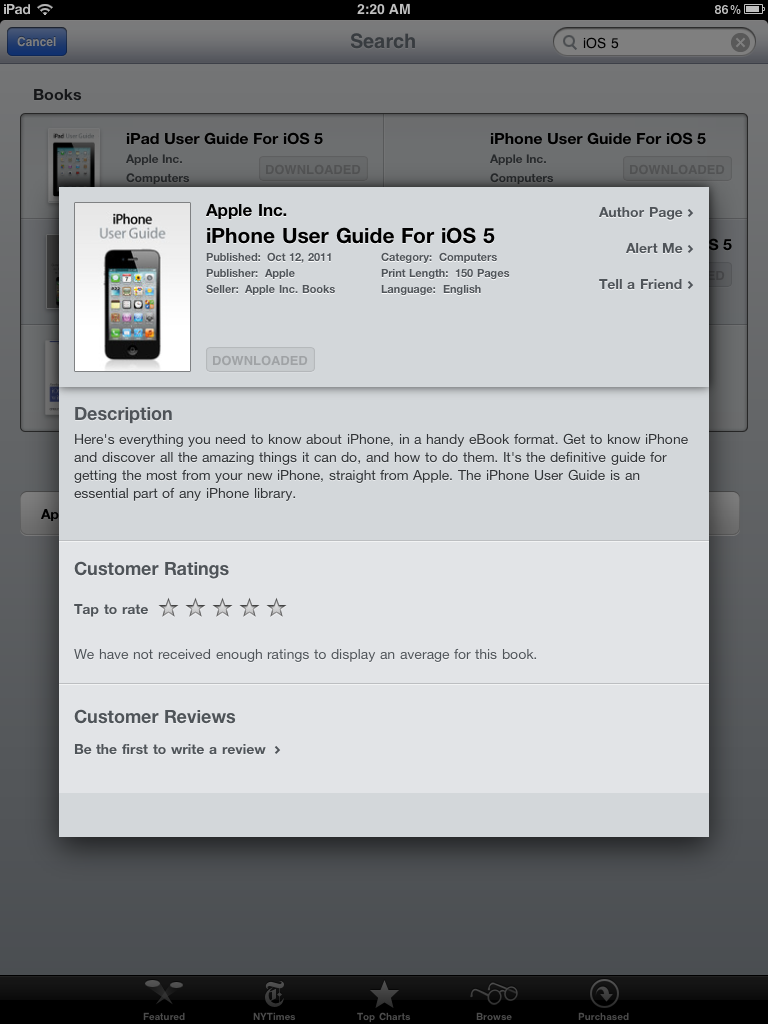
Apple has made iPad, iPhone and iPod touch User Guide for iOS 5 available at iBookstore.
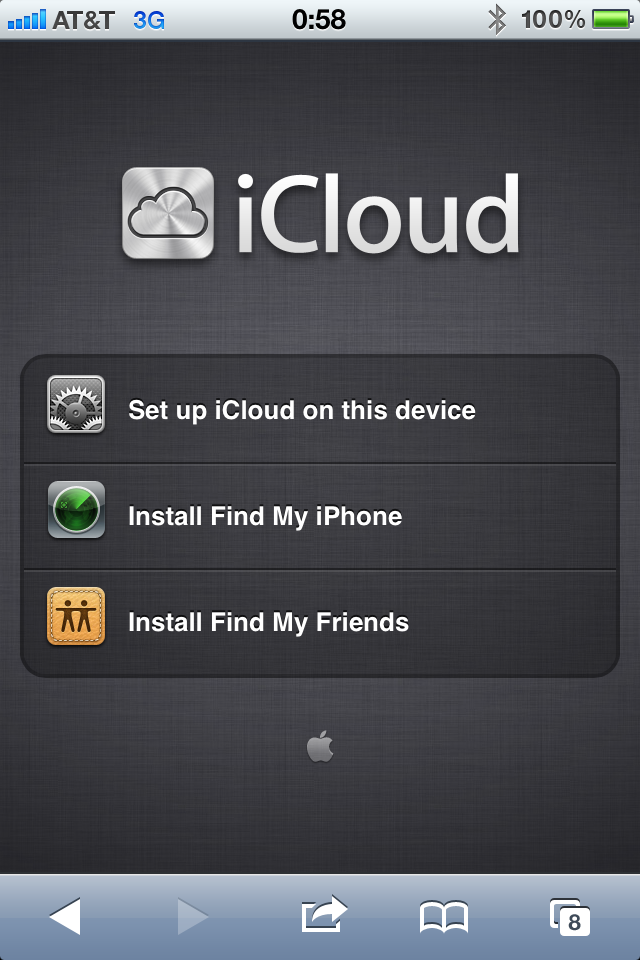
Apple prepares “Find My Friends” app as iOS 5 release draws closer.

Find My Friends can be obtained through this link once it goes live.
Apple is set to release iOS 5 to the public on Wednesday October 12th, 2011. Here are the steps to prepare yourself before upgrading to iOS 5:
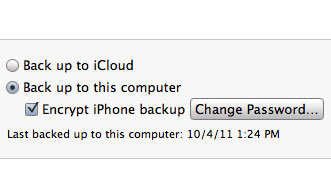
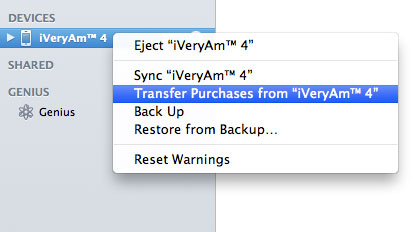
Now you are ready for iOS 5.
Starting Wednesday October 12th, 2011 you can update your iPhone/iPod touch/iPad through iTunes.

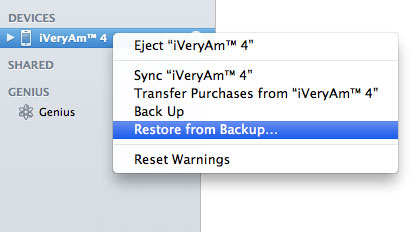
If for some reasons you could not update to iOS 5, you might have to go the “Restore” route. After that you can “Restore from Backup”.
Let’s travel back 6 days and a lot of tech pundits were ragging on the newly announced iPhone 4S.
OK, I made up that last one, but I’m pretty sure some pundits are thinking it.
Despite of the mixed reviews, iPhone 4S tops 1 million pre-orders in the first 24 hours.
CUPERTINO, California—October 10, 2011—Apple® today announced pre-orders of its iPhone® 4S have topped one million in a single day, surpassing the previous single day pre-order record of 600,000 held by iPhone 4.
I bet the 1 million pre-orders still a disappointment to Apple haters.
Some publications even dared to link the 1 million iPhone 4S pre-orders to Steve Jobs’ death; what a classless move. I found out about it through a tweet from Tom Reestman of The Small Wave. Shame on International Business Time this headline: “iPhone 4S Fortunes Linked to Steve Jobs’ Untimely Death?”. Just admit that there are a lot of people want to get their hands on iPhone 4S.
UPDATE:
John Gruber’s take on International Business Times idiotic explanations.
iPhone 4S is scheduled for release on Friday October 14th, 2011.

Image courtesy of Apple Inc.
After a short delay, Apple is now taking pre-orders for iPhone 4S. In the United States iPhone 4S is available for AT&T, Sprint and Verizon.
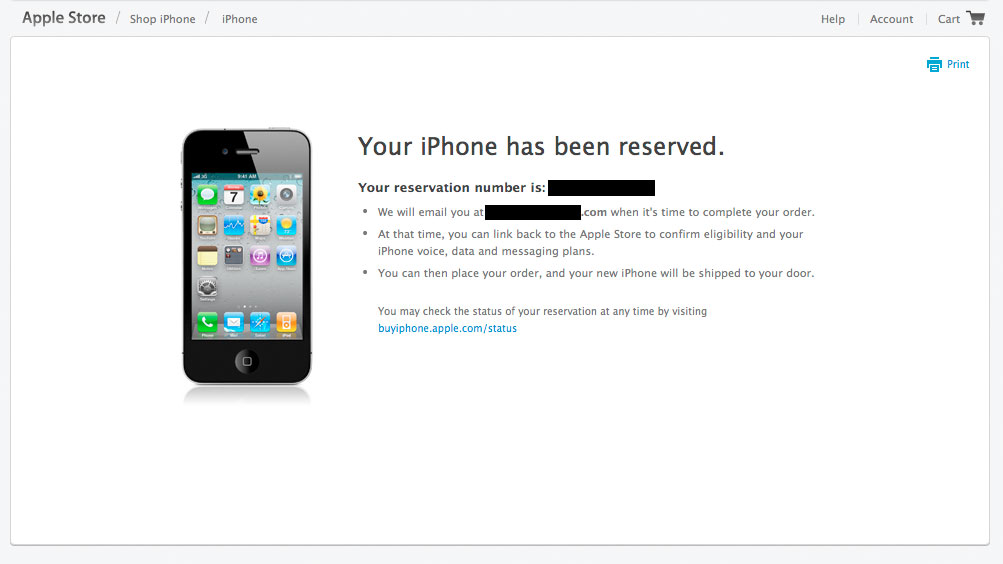
Unlocked iPhone 4S is coming in November.
About the Unlocked iPhone
The unlocked iPhone includes all the features of iPhone but without a contract commitment. You can activate and use it on the supported GSM wireless network of your choice, such as AT&T in the United States.* The unlocked iPhone 4 oriPhone 4S will not work with CDMA-based carriers such as Verizon Wireless or Sprint.
If you don’t want a multiyear service contract or if you prefer to use a local carrier when traveling abroad, the unlocked iPhone is the best choice. It arrives without a micro-SIM card, so you’ll need an active micro-SIM card from any supported GSM carrier worldwide. To start using it, simply insert the micro-SIM card into the slot on your iPhone and turn it on by pressing and holding the On/Off button for a few seconds. Then follow the onscreen instructions to set up your iPhone.
* Credit check may be required; must be 18 or older. An unlocked iPhone may be activated on supported GSM carrier networks. See www.apple.com/iphone for more information. Service may not be available in all areas or at the signal strength, rates, speeds, or bandwidth as demonstrated. Wi-Fi Internet access required for some features; broadband recommended; fees may apply. Some applications, features, and services are not available in all areas. Check with your service provider about network coverage in your area and international roaming options. Warranty information available at www.apple.com/legal/warranty/iphone. When available, transferring your mobile number to a different service provider will terminate your service with your existing provider; termination fees and other charges may apply. Some features may require added fees. Contact your service provider for more details. Use constitutes acceptance of Apple’s software license agreement and third-party terms located in the iPhone box. Unauthorized modification of your iPhone software violates the software license agreement. Inability to use an iPhone due to unauthorized modifications is not covered under your warranty.