Desperate Ars Technica Writer comes up with Sensationalistic Headline

If you were a writer for a well-established tech-site and you’re desperate for page views, what would you do?

Ars Technica writer, Casey Johnston knows exactly what to do. Write a sensationalistic headline.

Desperate iOS users download Google Maps 10 million times in 2 days

“Desperate”?

It is a poor choice of word. It also shows how misinformed the writer is. The one person who is “desperate” for attention is none other than Casey Johnston herself. How in the world Ars Technica Editor would approve this post. People who read Ars Technica might have mistaken it for a tabloid magazine.

For that, Casey Johnston is the JackArse Technica of the day.

——-

Note:
This is not the first time in recent months Ars Technica published poorly written articles and headlines.

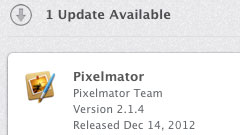
Pixelmator 2.1.4

Pixelmator 2.1.4 is now available.

What’s New in Version 2.1.4
This update improves overall stability and performance, including the following:

  • Improves Auto Save support
  • Enables layer Auto Select for painting and retouching tools
  • Improves effects’ responsiveness when working with large images
  • Improves Adobe Photoshop CS6 brush collections support
  • Fixes important stability issues
  • And much more

Pixelmator-2.1.4

p.s.

It was released on December 14th, 2012. How come I just got the update today?

Gigabyte Motherboard GA-Z77X-UP4 TH

We just picked up a Gigabyte Motherboard GA-Z77X-UP4 TH from Micro Center earlier today. It is one of the few PC Motherboards with built-in Thunderbolt port.

Gigabyte-Z77X-UP4-TH

Someone has Hackintoshed this motherboard.

According to postings at tonymacx86.com forums, GA-Z77X-UP5 TH is easier to Hackintosh.

——-

p.s.

If you went to Micro Center in Tustin to get this motherboard, look for John Her; he’s really helpful.

Google Sync End of Life

We use Google Apps and Google Sync for many purposes. The news of Google Sync End of Life does not surprise us after Google stops offering free Google Apps accounts.

Starting January 30, 2013, consumers won’t be able to set up new devices using Google Sync, however, existing Google Sync connections will continue to function. Google Sync will continue to be fully supported for Google Apps for Business, Government and Education users who are unaffected by this announcement.

Basically if you’re already in, you’re still in.

Google Maps for iPhone is now available

Google Maps for iPhone is now available. Just like its YouTube counterpart, Goggle Maps is not initially available/optimized for iPad. Of course, it is really hip to hate Apple these days. Remember the rumor about Google Maps might not be approved by Apple? The privileged and entitled jackasses were quick to blame Apple on that rumor.

Google-Maps

Description
Navigate your world with Google Maps, now available for iPhone. Get comprehensive, accurate and easy-to-use maps with built-in Google local search, voice guided turn-by-turn navigation, public transit directions, Street View and more. Use Google Maps to discover great places to eat, drink, shop and play, with ratings and reviews from people you trust. Sign in to save your favorite places and quickly access all your past searches and directions from your computer, right on your phone.

Search

  • Find addresses, places and businesses around the world with Google local search.
  • Discover places to eat, drink, shop and play, with ratings and local reviews.
  • Sign in to sync your searches, directions, and favorite places between your computer and your phone.

Directions

  • Get voice guided, turn-by-turn driving directions.
  • Find your way by train, bus, subway or walking directions.
  • Access live traffic information in cities across the world.

Street View and imagery

  • View 360-degree panoramas of places around the globe with Street View.
  • See inside more than 100,000 businesses worldwide.
  • View high resolution satellite imagery of locations around the world.

Simple and easy to use

  • An entirely new Google Maps experience on your iPhone.
  • Newly designed and streamlined interface for even easier navigation of your world.
  • Use gestures to explore the map and browse results.

——-

I am personally missing Street View on some occasions, especially on the iPad. I guess we all have to wait a little bit longer.

Flickr 2.0 for iOS

Flickr 2.0 for iOS is now available.

What’s New in Version 2.00.762
The all-new Flickr App is a complete redesign of the previous version.  It’s now easier to use, more beautiful and includes more of the great features you love using on Flickr.com, including:

  • Simple sign-up and registration process
  • 16 unique camera filters
  • Full Groups capabilities
  • Explore interesting photos from around the world and nearby
  • And more!

Flickr-2.00-iOS